1
2
3
4
5
6
7
8
9
10
11
12
13
14
15
16
17
18
19
20
21
22
23
24
25
26
27
28
29
30
31
32
33
34
35
36
37
38
39
40
41
42
43
44
45
46
47
48
49
50
51
52
53
54
55
56
57
58
59
60
61
62
63
64
65
66
67
68
69
70
71
72
73
74
75
76
77
78
79
80
81
82
83
84
85
86
87
88
89
90
91
92
93
94
95
96
97
98
99
100
101
102
103
104
105
106
107
108
109
110
111
112
113
114
115
116
117
118
119
120
121
122
123
124
125
126
127
128
129
130
131
132
133
134
135
136
137
138
139
140
141
142
143
144
145
146
147
148
149
150
151
152
153
154
155
156
157
158
159
160
161
162
163
164
165
166
167
168
169
170
171
172
173
174
175
176
177
178
179
180
181
182
183
184
185
186
187
188
189
190
191
192
193
194
195
196
197
198
199
200
201
202
203
204
205
206
207
208
209
210
211
212
213
214
215
216
217
218
219
220
221
222
223
224
225
226
227
228
229
230
231
232
233
234
235
236
237
238
239
240
241
242
243
244
245
246
247
248
249
250
251
252
253
254
255
256
257
258
259
260
261
262
263
264
265
266
267
268
269
270
271
272
273
274
275
276
277
278
279
280
281
282
283
284
285
286
287
288
289
290
291
292
293
|
---
title: How to build disruptive OCaml microservices with BuckleScript
route: /js-ocaml-microservices
date: 2017-08-15
description: For a few hours this past week, I decided to cram a bunch of different Very Fun™ things together to build a trivial web app.
---
Recently, I started tinkering with [OCaml](https://ocaml.org/). It’s Very Fun™,
which makes it a great fit for a quick side project. So, for a few hours this
past week, I decided to cram a bunch of different Very Fun™ things together to
build a trivial web app. It went well — so here’s a tutorial on how I did it.
---
### The Plan
We’ll be writing a few lines of [OCaml](https://ocaml.org/), compiling it to
JavaScript using [BuckleScript](https://github.com/bucklescript/bucklescript),
producing a .js file which runs a microservice using
[Micro](https://github.com/zeit/micro).
“Fatigue!” you may claim. Yeah, that’s kinda the point. We’ll get our hands
dirty with a variety of cool things, each of which can be further explored or
ignored as you see fit — that was my plan, anyway.
### The Tools
We’ll need a couple things from npm:
yarn add micro # or replace 'yarn' with 'npm install'
yarn add --dev bs-platform
Allow me to briefly explain what these two things are.
---
[Micro](https://github.com/zeit/micro) is a super-tiny library for turning
blocks of code like this…
module.exports = (req, res) => {
res.end('Welcome to Micro')
}
…into web-servers. Just a few lines, no need for any boilerplate or
configuration, making our lives much easier as we attempt to compile another
language into it.
[BuckleScript](https://github.com/bucklescript/bucklescript) is a toolchain
developed at Bloomberg for compiling OCaml code into readable, performant
JavaScript. It is incredibly powerful, and we’ll only be using a very, *very
*small subset of its features, but it works quite well and is easy to get up and
running.
---
Now a bit of config.
First we’ll need to tell BuckleScript where our files are (let’s make a new
`src/` directory and just put things in there). To do this we create a
`bsconfig.json` with the following two fields.
{
"name": "bucklescript-micro-example",
"sources": [
"src/"
]
}
Sa-weet — now let’s add some scripts to `package.json` to make our lives easier.
{
"dependencies": {
"micro": "^8.0.1"
},
"devDependencies": {
"bs-platform": "^1.8.2"
},
"scripts": {
"build": "bsb",
"watch": "bsb -w",
"start": "node lib/js/src/index.js"
}
}
Our `build` command will use the `bsb` executable (provided to us from
`bs-platform`) to build our code. `watch` does the same thing, but will also
watch for any file changes as we develop and re-build them automagically.
Finally, `start` will run our web server. The path afterwards is where
BuckleScript will put our compiled JavaScript.
### The Code
So far so good, right? Now, we can start writing code. Let’s kick things off
with a simple function, just to get a feel for how BuckleScript works its magic.
Start by creating a file `src/add.ml` and add the following:
let add a b = a + b
If we run `npm run build` (or we can run `npm run watch` and leave it in a
separate tab), we should see a brand new `lib/` folder in our profile. Diving
in, we find lots of definitions, and the compiled output: `lib/src/add.js`:
// Generated by BUCKLESCRIPT VERSION 1.8.2, PLEASE EDIT WITH CARE
'use strict';
function add(a, b) {
return a + b | 0;
}
exports.add = add;
/* No side effect */
Magic! Not only did we compile the code, but we’re exporting our `add` function
(with the right name and all). We can now use our `add` function, originally
written in OCaml, in node:
$ node
> require("./lib/js/src/add.js").add(5, 6)
11
Now the fun part — let’s try to write some code that uses
[micro](https://github.com/zeit/micro).
### The Bindings
We can write functions like `add` ourselves, but in order to interface our code
with existing JS functions, we’ll need to dive into the world of
[foreign function interface](https://en.wikipedia.org/wiki/Foreign_function_interface)_s
_(also known as FFIs).
Simply put, FFIs let BuckleScript know:
- **The type definitions of our foreign objects**. This allows us to treat these
objects as first class citizens, passing them to and from other functions in
our codebase. (For example, `micro` will provide us with “request” and
“response” objects. We can type these so later on we can write functions such
as `renderIndexPage : res -> string -> unit`).
- **What type of syntax our OCaml code should compile down to. **In other words,
should `fillStyle ctx "blue"` compile down to `ctx.fillStyle("blue")` or
`ctx.fillStyle = "blue"`?
These bullet points will make more sense as we go along. For now, let me
introduce what one of these bindings looks like.
type req
type res
type server
external micro : (req -> res -> string) -> server = "micro" [@@bs.module]
external listen : server -> int -> unit = "listen" [@@bs.send]
Let’s break this down.
- First we define a few types. Now we can create functions that consume/return a
“thing” of type `req`, `res`, and `server`.
- `external` is a keyword used for defining FFIs in OCaml. You’ll see this a lot
when working with BuckleScript
- `micro` and `listen` will correspond to functions we can now use in our OCaml
code. Thanks to the type definitions next to them (after the colon), they are
typesafe and will let your program compile (as well as make tooling such as
[merlin](https://github.com/ocaml/merlin) infinitely more useful).
- The strings `"micro"` and `"listen"`, somewhat confusingly, correspond to the
JavaScript identifiers that BuckleScript will output. We can technically leave
these out (and instead specify `""`) since they are equal to the function
names we are binding to.
- Finally, the items in the square brackets (namely `bs.module` and `bs.send`)
let BuckleScript know what sort of JavaScript expression we want our new
`micro` and `listen` functions to compile to.
---
I’d like to expand that last bullet point.
#### `[@@bs.send]`
This treats the first argument as a JS object and sends the remaining arguments
as parameters.
external listen : server -> int -> unit = "listen" [@@bs.send]
(* ...other stuff... *)
listen thing_of_type_server 1337
Will result in (roughly) the following code:
thing_of_type_server.listen(1337)
#### [@@bs.module]
This attribute lets BuckleScript know that you are interfacing with a JS module,
adding a `require` when necessary.
external add : int -> int -> int = "add" [@@bs.module]
external sub : int -> int -> int = "sub" [@@bs.module "coolpackage"]
let f = add 1 2;;
let g = sub 7 6;;
Results in:
var Add = require("add");
var Coolpackage = require("coolpackage");
var f = Add(1, 2);
var g = Coolpackage.sub(7, 6);
**As an exercise to the reader: what do the attributes**`[@@bs.get]`**,
**`[@@bs.set]`**, and **`[@@bs.val]`** do?**
For more on FFI: refer to the
[official BuckleScript docs](https://bucklescript.github.io/bucklescript/Manual.html#_ffi).
---
We now have access to two functions: `micro` and `listen` which are used in the
following ways:
`micro` accepts a function (which accepts two arguments of type `req` and `res`
respectively and returns a `string`) and returns a `server`.
let server = micro (fun req -> fun res -> "Hello, world!");;
`listen` accepts a `server` and an `int` and returns a noop (type `unit`).
listen server 1337;;
All together now!
type req
type res
type server
external micro : (req -> res -> string) -> server = "micro" [@@bs.module]
external listen : server -> int -> unit = "listen" [@@bs.send]
let server = micro (fun req -> fun res -> "Hello, world!");;
listen server 1337;;
If we place this code in `src/index.ml`, running `npm run build` will produce
`lib/js/src/index.js` with the following contents:
// Generated by BUCKLESCRIPT VERSION 1.8.2, PLEASE EDIT WITH CARE
'use strict';
var Micro = require("micro");
var server = Micro((function (_, _$1) {
return "Hello, world!";
}));
server.listen(1337);
exports.server = server;
/* server Not a pure module */
Now let’s run `npm start` and visit `localhost:1337` .
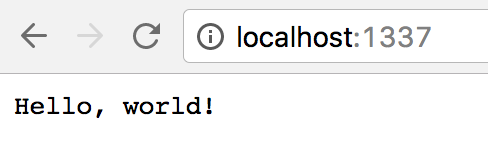
Better yet, we can install [now](https://github.com/zeit/now) (`npm install -g now`) and deploy our site instantly (simply by typing `now` in our terminal).
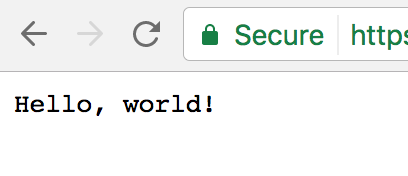
And Voila! A “web-server” written in OCaml, compiled down to JavaScript. It’s
not much, but it’s a straight spike through a variety of technologies. Hopefully
you find one or two of ’em interesting, and I encourage you to continue playing
and exploring.
### Going Forward
Here are some more questions to ponder on.
- Using micro, the first argument represents an instance of
`http.IncomingMessage`. This instance has a `url` property — **how would we go
about extracting the URL and displaying a different message?**
- If we surround `Hello, world!` with `<strong></strong>`, we see that our
browser renders an HTML document. **Experiment with creating various
“template” functions** to build a Real Website™. (i.e. `fun req -> fun res -> layout req`)
- Instead of returning a string, **use various methods on the **`res`**
parameter**, which is an instance of `http.ServerResponse`.
You may also be interested in [Reason](http://facebook.github.io/reason/): a new
syntax for OCaml developed at Facebook. It’s gaining a lot of traction in the
JavaScript community, and even has
[React bindings](https://reasonml.github.io/reason-react/)! I’m personally a
huge fan of my friend Jared’s recent (excellent)
[blog post about ReasonReact](https://jaredforsyth.com/2017/07/05/a-reason-react-tutorial/).
In part 2, We’ll explore `@@bs.send.pipe` and how to better interface with
chainable JavaScript APIs:
[Typesafe JavaScript Chaining with OCaml and BuckleScript](/js-ocaml-chaining)
I hope this serves as a gentle introduction to one of my favorite things
happening in JavaScript right now. Go forth and explore, and be sure to share
what you create.
|