VTFLib is a LGPL open source programming library, written by Neil Jedrzejewski and I. VTFLib provides a C and C++ API that, with a few simple functions, can open and save .vtf and .vmt files, providing access to all known features. The library functions independent of Steam, allowing third party applications to use the library without Steam present or runningi on the target system.
VTFLib includes two GPL example applications, VTFCmd and VTFEdit. VTFCmd is a C command line frontend for VTFLib that can create .vtf and .vmt files from various source formats. It is similar in functionality to Valve's vtex Source SDK utility, but offers a lot more control. VTFEdit is a C++ .NET graphical frontend for VTFLib with viewing and creation capabilities. Both VTFCmd and VTFEdit support several source image formats, including, but not limited to .bmp, .dds, .gif, .jpg, .png and .tga.
Screenshots:
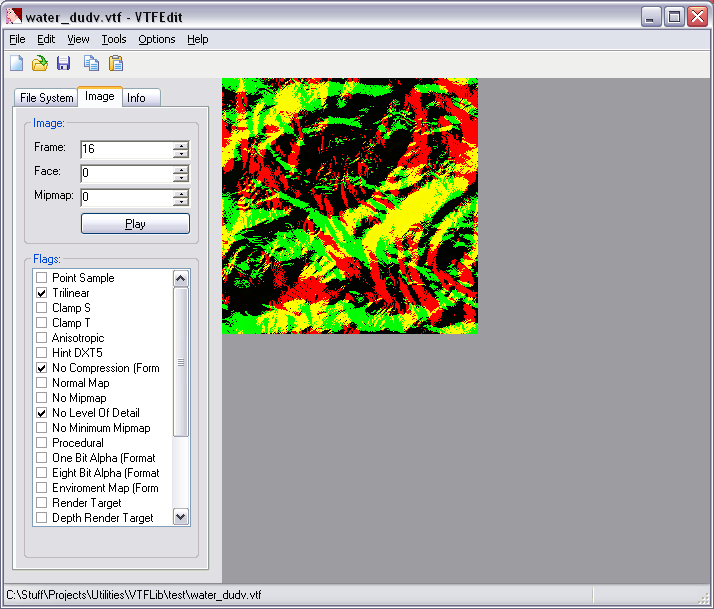


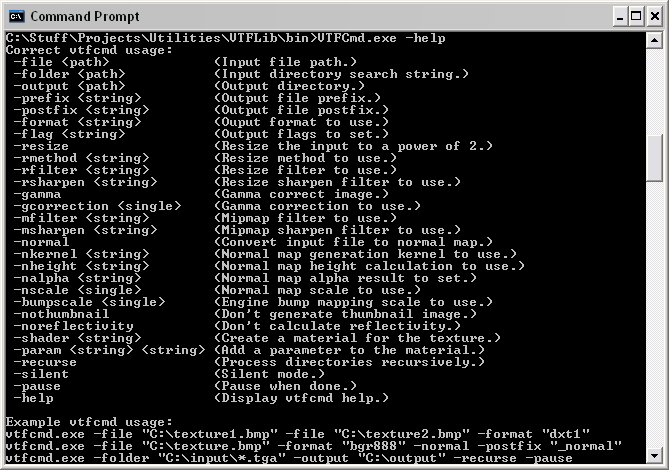
- Convert .bmp, .dds, .gif, .jpg, .png and .tga files to .vtf and .vmt files with easy access to all .vtf options.
- Convert .vtf files to .bmp, .jpg, .png and .tga files.
- Convert entire folders to and from .vtf and .vmt files.
- Convert .wad files to .vtf and .vmt files.
- Explore .bsp, .gcf, .pak, .wad and .xzp packages.
- Preview .vtf files.
- Recent file menu.
- 100% Free.

Some features we are working on for the next version (if you have any requests let me know):
VTFLib:
- .vmt C creation routines.
VTFCmd:
- Basic .vmt creation (similar to vtex).
VTFEdit:
- Toolbar.
- Paste as new.
- Zooming.
- Alpha mask.
- Integrated file system browser.
You can find a preview here.

So please, mark one as the exe style, as you have with your other tools
ta
Adam

PS, VERY GOOD WORK on the wad convertor!
It would be helpful if someone could provide templates for the various typical .vmt files (normal texture, bump mapped texture, HUD texture, sprite, etc).
Glad you like the .wad converter.
I using .net framework korean. pleaze help~
A emty material for wold geomaty
"LightmappedGeneric"
{
}
--commands you can have in it--
//Defuce texture (path is relative to materials folder, no .vtf)
"$basetexture" "MyTextures/Texture1"
//2 sided material
"$nocull" 1
//normal map bump mapping
"$bumpmap" "MyTextures/Texture1"
//8 bit transparency (uses the alpha form the basetexture)
"$translucent" 1
//1 bit transparency (uses the alpha form the basetexture).
"$alphatest" "1"
//material type (affects the sound and decale when hit)
"$surfaceprop" "concrete"
(I'll give you a list of posibles later on).
thers alot more stuff you can put in there as weal ill try to give you some more if you want.
If you enable Auto Create VMT File from the options menu, it will create a VMT with a $basetexture and a default shader whenever you save a VTF file. If you select Create VMT File from the Tools menu, you can specify all of the above options and create your VTF files. In order for the paths to be correct, your VTF file must be in a materials folder.
New users can register here.